PL. 01 — THE THESIS / LA THÈSE
SYSTEM IN SERVICE
Access runs the building and keeps the syndicate compliant.
Doors, intercom, maintenance logbook, funds and work orders — in one system.
Management software cannot open a door. An intercom cannot keep a logbook. Access holds both layers, for Québec condo syndicates and property managers.
6 QUESTIONS · UNDER A MINUTE
PL. 02 — THE INTERCOM / L’INTERPHONE
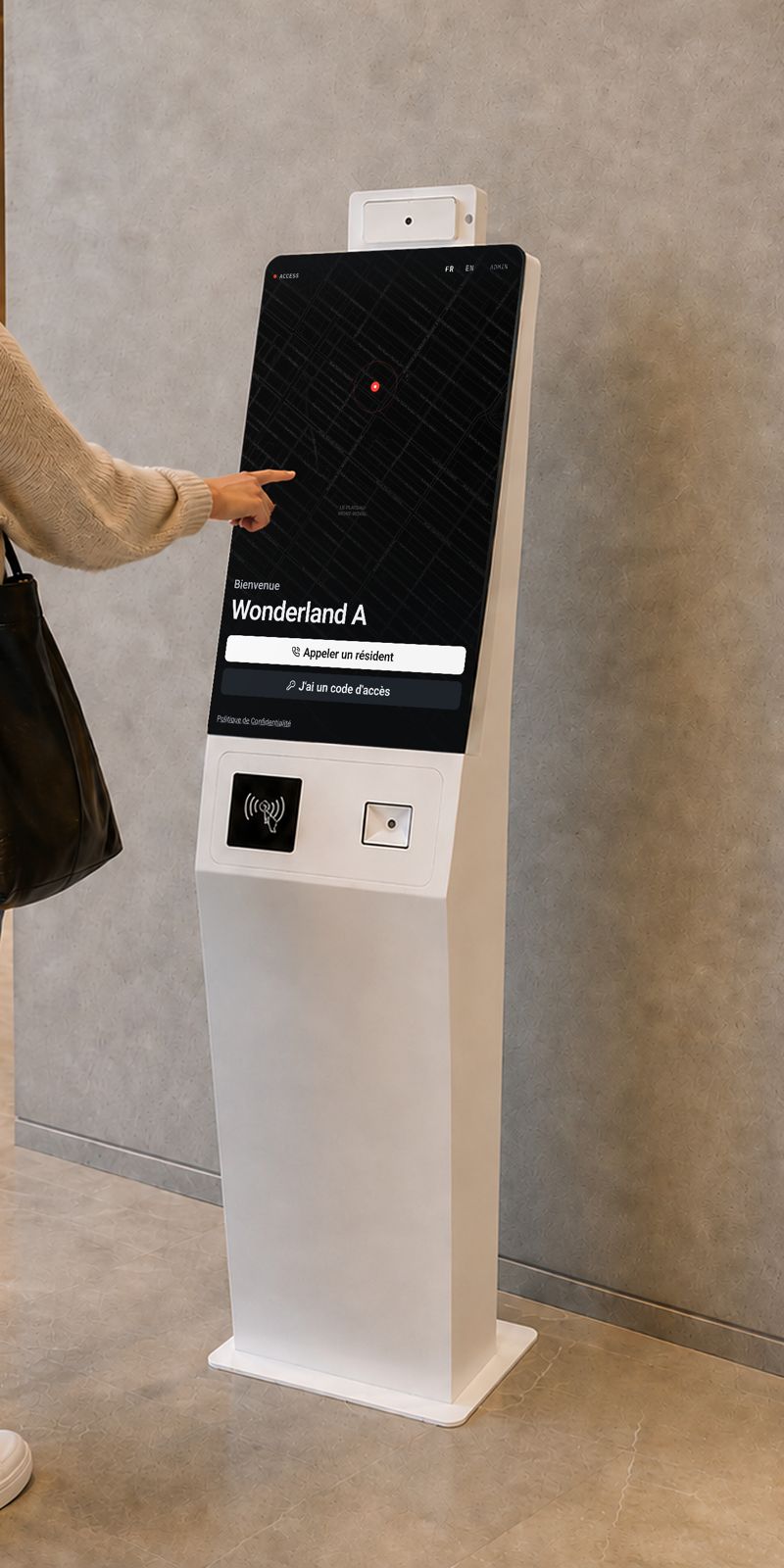
The lobby kiosk replaces the intercom.
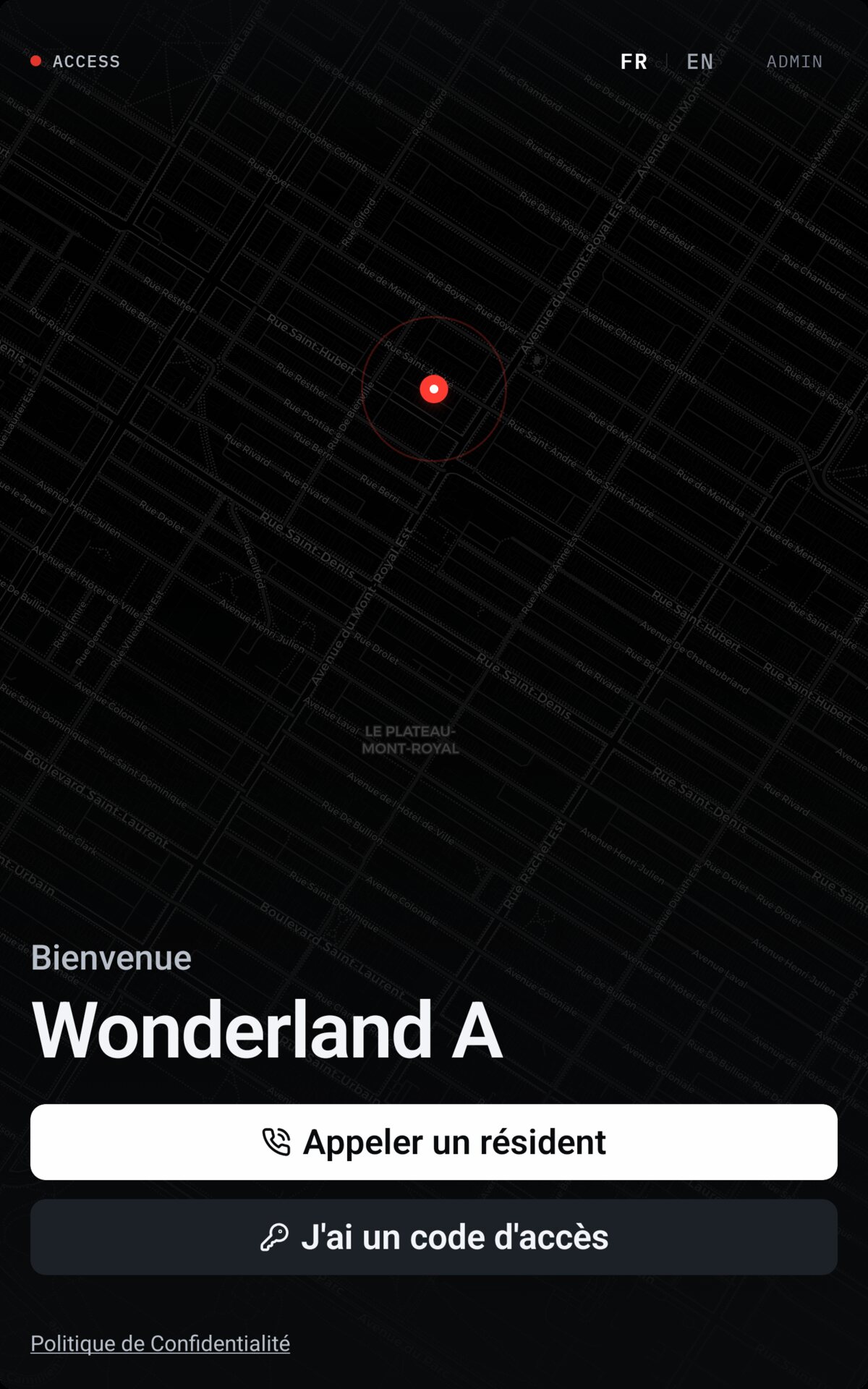
Access reuses the existing intercom’s wiring and location. The directory shows on the kiosk; the video call lands on the resident’s phone, wherever they are.
The visitor looks up the resident
LE VISITEUR CHERCHE
At the kiosk: the building directory in French or English, or an access code. No app required of the visitor.
The resident is called on their phone
LE RÉSIDENT EST APPELÉ
A notification on iOS or Android, wherever the resident is. The call is not tied to a handset bolted to a wall.
Two-way video, then remote unlock
VIDÉO, PUIS OUVERTURE
The resident sees and hears the visitor, then unlocks from the call screen. The opening is written to the access log.
PL. 03 — THE APP / L’APPLICATION
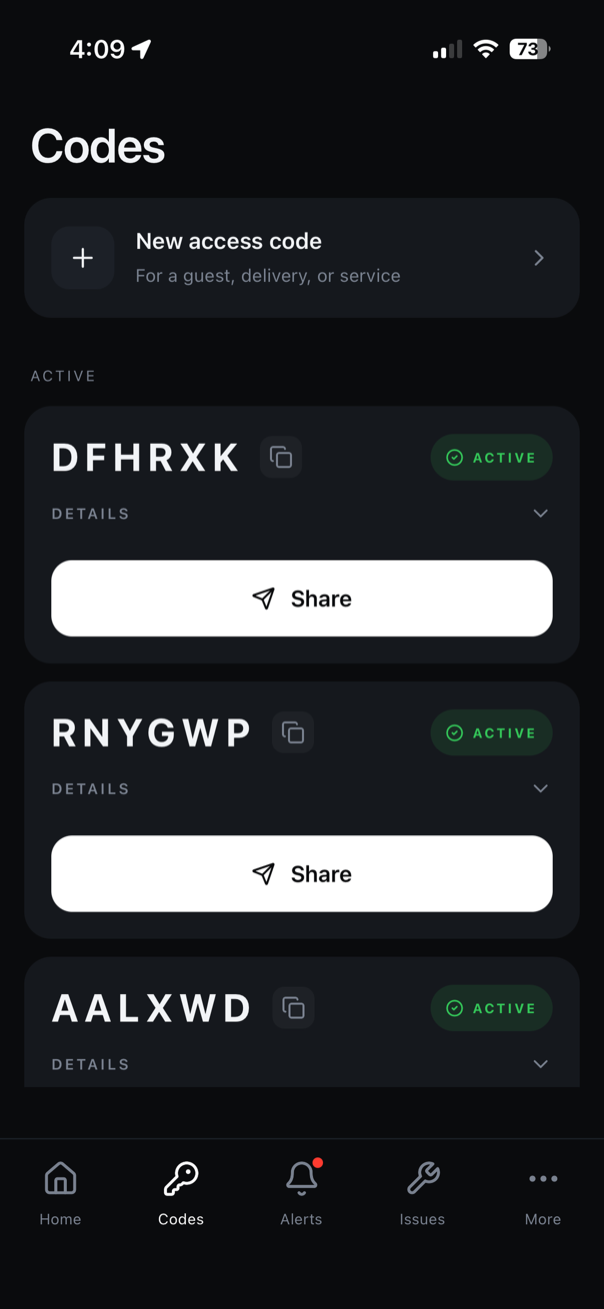
One app to open, watch and report.
Residents unlock the door, answer the intercom, issue a visitor code and report a problem. Managers see the same day from the office.
Unlock
DÉVERROUILLAGE
Hold to open the main door, the garage or the common areas.
Access logs
JOURNAL DES ACCÈS
The unit’s openings, timestamped.
Visitor codes
CODES VISITEURS
A time-limited code for the courier, the sitter or the guest.
PL. 04 — WHAT ACCESS COVERS / CE QUE COUVRE ACCESS
Six areas, one platform.
Each area has its page. This is the index.
01
Condo syndicates
BILL 16 · MAINTENANCE LOGBOOK
The logbook fills from completed work. Compliance meter and deadline.
OPEN PAGE
02
Syndicate finances
FUNDS · CHARGES · ARREARS
Three-fund budget, charges by share, arrears ageing and unit statements.
OPEN PAGE
03
Maintenance
TICKETS · PREVENTIVE · SUPPLIERS
Tickets, preventive schedules and a supplier portal with no account to create.
OPEN PAGE
04
Doors & access control
INTERCOM · DOORS · CAMERAS
Video call to the resident’s phone, remote door release, visitor codes, cameras.
OPEN PAGE
05
App
RESIDENT · MANAGER
Unlock, report, manage — on iOS and Android.
OPEN PAGE
06
Infrastructure
WI-FI · CABLING · INTERNET
The physical layer everything else assumes.
OPEN PAGE
Summary provided for information. It does not replace the advice of your professional or legal counsel.
PL. 05 — WHY NOBODY ELSE / POURQUOI PERSONNE D’AUTRE
Software alone cannot open a door. Hardware alone cannot keep a logbook.
Access holds both layers. That is the mechanical reason the logbook fills itself: we hold the work orders and the register, so a closed job becomes a logbook entry.
| CAPABILITY | SOFTWARE ONLY | HARDWARE ONLY | BOTH |
|---|---|---|---|
| Open the door, answer the intercom | — | YES | YES |
| Keep the maintenance logbook | YES | — | YES |
| Keep the three funds and the charges | YES | — | YES |
| View the building’s cameras | — | YES | YES |
| A closed job becomes a logbook entry | — | — | YES |
PL. 06 — THE PROOF / LA PREUVE
Installed, not promised.
Access grew out of access control in Montréal buildings. The software layer was built on top of doors that already work.
- 1,000+
- doors in service
- Montréal
- local team, installation included
- FR · EN
- service in French first
WHO BUILDS ACCESS
Ahmed Hadjeres
Principal Engineer · Access · Montréal
Local team. The software and the hardware are held by the same team, in Montréal.
Full profileEVENT LOG
- 08:12Main door · opened from the app
- 08:40Intercom · call answered on phone
- 09:05Work order 412 closed · logbook entry
- 09:30Unit 304 · charge payment recorded
- 10:02Visitor code · expired
PL. 07 — REQUEST / DEMANDE
Request an assessment
Tell us which building. We come back within 24 hours with a clear picture of what Access covers — no commitment.
- Montréal
- Local team, service in French and English.
- 1,000+ doors
- Already in service in buildings here.
- No commitment
- The assessment commits you to nothing.